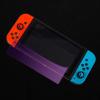
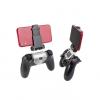
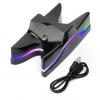
Details of Generic Switch Left And Right Handle Joycon Wireless Bluetooth Gamepad Switch Grip Somatosensory Handle
product description:
The device is a small Bluetooth wireless left and right handle, which has similar functions to the SWITCH original Joy-Con handle. Both the left handle and the handle can be operated as a separate handle. Any key (except L3, R3) wakes up and supports plugging and unplugging from the host. Automatic matching, handle with six-axis and motor function and USB upgrade.
2 Operating instructions:
Wired connection:
On any interface of the host, insert the slide rails of the left and right handles into the left and right slide grooves of the host to realize the wired connection with the host.
Bluetooth connection
(1). Turn on the Switch host, click the settings menu button on the main page interface, click the System settings option to enter the next-level option menu and then
(2). Click the Airplane Mode option, and then click Controller Connection (bluetooth) to turn on the Bluetooth function.
(3). Press and hold the PAIR button for 3 seconds to turn on the pairing, LED1-4 flashing water lights, open the host homepage interface and click the Controllers menu, and then click Change Grip/Orde. The host will automatically search for the paired handles, and the handles will be searched after a few seconds The automatic pairing with the host is successful, and the corresponding channel light of the host is always on; after connecting, click the A button and then select Close to exit to the main interface, and then the game can be operated. After 60 seconds, the handle is turned off without successful pairing. (The host has 4 channels in total)
3 rounds:
(1). After the handle has been paired with the same host once and the Bluetooth of the host is turned on, short press any key to wake up the handle and enter the back-connection mode (except for L3, R3, PAIR), LED1-4 flashes as a running light, about After a few seconds, the handle and the host are automatically paired successfully, and the host can start the game operation after the corresponding channel light is always on.
(2). When the controller is in wired mode, pull out the controller, the controller will automatically connect back to the host, the host will send the corresponding channel to the controller, allowing the player to operate the game.
4 button composition:
(1). Left handle: UP, DOWN, LEFT, RIGHT, L1, L2, L3, -, SL, SR, PAIR, screenshots and 1 analog 3D joystick.
(2). Right handle: A, B, X, Y, R1, R2, R3, +, HOME, SL, SR, PAIR, and 1 analog 3D joystick.
5Charge:
(1). The handle is off. When the type-c interface of the handle is inserted into the adapter, LED1-4 flashes slowly at 2Hz. After fully charged, LED1-4 is always on, and the LED goes out after removing the adapter.
(2). When the handle is online or offline, when the handle type-c interface is inserted into the adapter, the host interface will be displayed in the charging state. (When the handle is in the handheld mode, the type-c interface of the handle cannot be charged! Avoid damaging the host)





 Loading. Please Wait...